👨👩👧 Limiting children's screen time: a framework that works

“Just one more video!” You said it was time to stop, but the negotiations start again. Limiting children's screen time can sometimes take more energy than the activity itself. For families with a child in primary school, a clear and understandable framework is often easier to stick to than a string of improvised bans.
This guide offers a practical approach: observe how screens are used, choose a simple rule, plan the transition, and have easy activities ready. It doesn’t promise instant harmony or a one-size-fits-all time limit. Health guidelines are kept separate from our practical examples.
Limiting children's screen time: observe how screens are used
Before changing the rules, pick a typical day and notice when screens appear: a cartoon at breakfast, research for school, games after school, videos during meals. Take note of adults’ screen use too. The aim isn’t to blame anyone, but to understand which moments have become automatic.
In its advice to families, Assurance Maladie recommends distinguishing between schoolwork and leisure, checking content, and setting shared rules. It also suggests keeping some screen-free times, especially meals, and setting a limit before starting. The framework should take into account the child’s age and situation.
This week, pick the moment that’s actually tricky for you. If stopping before dinner is the hardest part, start with that transition. There’s no need to overhaul family life in one evening. A rule you can explain and stick to is better than an ambitious plan that’s dropped after two days.
A clear rule is better than just 'less screen time'
“You spend too much time on that” doesn’t tell your child what they can do tomorrow. Be specific about when it’s allowed, what activity, and how to finish. Here’s an example you can adapt: “After your snack, we’ll pick one episode together. When it’s over, the tablet goes back on the shelf and you choose what to do next.”
If the content doesn’t have a natural ending, agree on a stopping point before you start: a short round or a clear finishing time. A timer can help, but it doesn’t replace your presence. For games, check if you can save or stop between rounds.
| Vague wording | Clearer wording | Point to prepare |
|---|---|---|
| “Not too long.” | “We’ll stop at the end of this episode.” | Turn off autoplay. |
| “Put that down when I say.” | “I’ll give you a warning before the end, then you tidy up here.” | Choose an easy-to-reach storage spot. |
| “Find something else to do.” | “Would you like to draw or get out the building blocks?” | Make sure both activities are ready to go. |
Check that the rule covers all devices. Turning off the tablet and then switching on the TV doesn’t help with transitions. Any adults looking after your child should know the same agreement, with adjustments for siblings’ ages if needed.
Limiting children's screen time by preparing for the end
It’s harder to stop if you only realise at the last minute that a new game has just started or the next video has begun. Before the session, look together for a good stopping point. If a game will take longer than the time you have, pick another time or a different activity.
Give a heads-up as the end approaches with a simple phrase: “This episode is nearly finished; then we’ll tidy up.” When the time comes, try not to get into a big debate. You can acknowledge their disappointment: “You’d like to carry on, I understand. But we agreed to finish here.”
A disappointed child doesn’t always need a ten-minute explanation. Stay nearby, offer the planned transition, and talk about the agreement later. One tricky moment doesn’t mean the whole framework has failed. If you forgot the time yourself, just admit it and set a clear rule for next time.
Prepare alternatives that don’t feel like a punishment
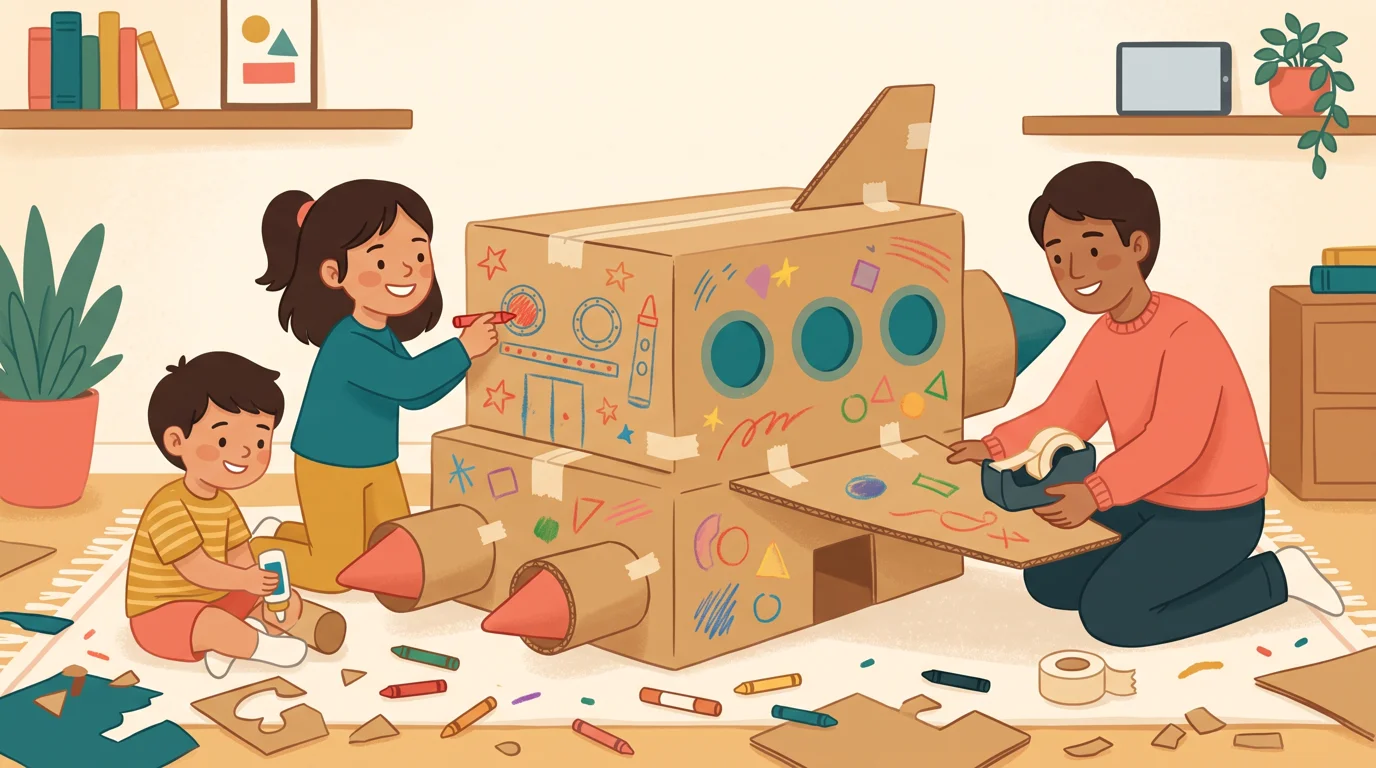
Turning off a cartoon only to make your child do extra worksheets can make paper activities less appealing. Instead, try to have something ready that your child can start without lots of setup: building bricks, playdough, free drawing, cards, a picture book, or a quick outing if possible.
You don’t need to become a full-time entertainer. Prepare a small box with a few things ready to use. A cardboard box can be a garage; a folded sheet of paper, a mini-book; rolled-up socks, the pieces for a simple game in a clear space. Let your child choose and adapt the idea.
If your child enjoys paper activities, you can offer the free printable Kidibook workbook, without making it a requirement. For more ideas, the learning through play guide has suggestions to suit different ages and interests. The choice should be a real alternative, not just another task to complete.

Adults need a realistic agreement too
A phone can be used for work, to contact someone, or to look up information. Explain these uses if it helps your child understand an exception: “I’m replying to this practical message, then I’ll put the phone away.” Try not to announce family time while scrolling through videos at the same time.
Pick a shared storage spot for devices during the time you want to protect. At the table, a basket out of reach can be easier than constant reminders. If you’re expecting an important call, let everyone know. Consistency doesn’t mean every age has exactly the same rules.
So-called educational games still count as screen time. They don’t automatically make all time spent worthwhile. Our guide to free educational games online helps you look at what’s on offer; choosing a game and deciding how much time it gets in the day are two separate things.
Take stock and ask for help if needed
After a few days, ask yourself what has actually changed: is it easier to predict when screen time will end? Are mealtimes more available for conversation? Does the next activity start more smoothly? Don’t expect every transition to be joyful. The aim is to find a routine that works for your family.
If things are still tricky, change one thing at a time: try a better time slot, an easier activity to stop, or have an adult present when it’s time to tidy up. For evenings, our guide on getting back to a regular sleep routine can help you rethink the whole evening.
If screen use is consistently linked to sleep problems, isolation, loss of interest in school, or significant distress, talk to a healthcare professional. This article is not a diagnostic tool. You can bring simple notes about your child’s screen use and the situations that concern you.
References: Assurance Maladie — adapting screen use to age, article dated 17 July 2025, accessed 19 September 2026. The examples of agreements and activities are suggestions from the editorial team, to be adapted to your daily life.
Want to put these tips into practice?
Every day, a new adventure workbook adapted to your child's school level — to print or do on screen. No commitment.
Your questions
Should we cut out all screens at once?
This guide doesn’t offer a one-size-fits-all rule. Identify which uses and times are causing problems, then set boundaries that suit your child’s age. If difficulties are significant or ongoing, it’s worth talking to a professional.
How can I announce the end without negotiating every time?
Decide on the stopping point before you start, give a warning as it approaches, and get ready to tidy up. Acknowledging disappointment doesn’t mean you have to extend the session.
Does an educational game count as screen time?
Yes, it uses a screen. The content might be interesting, but it’s still important to think about when, for how long, and how it fits with other activities.
What can I suggest if my child says they’re bored?
Offer two easy options with materials you have on hand: drawing, building, reading, cards, or going out. You can help them get started without organising the whole activity.
Read next
 Parent guide
The 'summer slide': why your child forgets, and what to do
Losing skills over the school holidays isn’t inevitable: here’s how to avoid it in just 10 minutes a day…
 Parent guide
“My child is bored during the holidays”: what to do (without guilt)
My child is bored during the holidays: why boredom is actually healthy, a box of anti-boredom ideas, and a simple ritual…
 Parent guide
Back-to-school budget: save money without your child feeling left out
Back-to-school budget: sorting supplies, second-hand schoolbags, CAF support — practical tips to spend less without missing out…